Archive for the ‘Uncategorized’ Category

Mother Hen Bot – Assignment #3

The creation of social media bots is an ongoing movement where anyone is capable of developing a working AI that was meant to roam and interact on the Internet. These bots could come straight out of fiction or be a rendition of a fictional character from a novel or film.

As Rob Dubbin mentioned from his article, “The Rise of Twitter Bots,” Twitter bots are contributors to the worlds of APIs and AIs. Dubbin defined these bots to be openly developed in laboratories from creative minds with programming background that has the power to make bots good or evil. The movement of Twitter Bots is like a community garden, anyone are welcomed to plant bots with a Twitter account by using their knowledge of APIs and programming in order to run in the Internet.

From my previous Twitter bot, I based it off from a fictional character in which I choreographed a small digital puppet show for it to appear realistic. Generally, IFTTT recipes were used for this bot to tweet out content that related to his interests and personality.

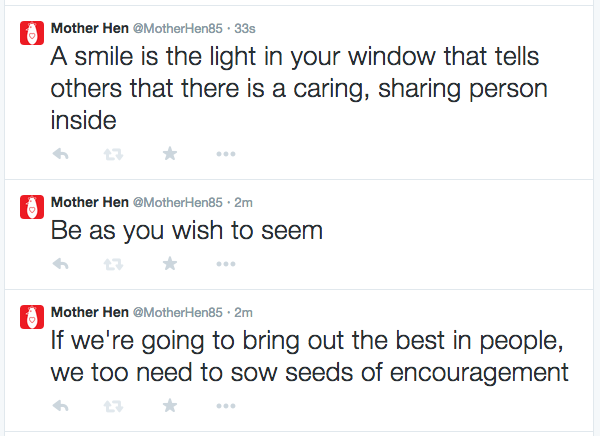
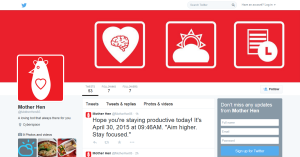
For this assignment I decided to develop a fictional Twitter bot that has the personalities and functionality of a “mother hen,” based on a small brief that outlined the bot’s features and purpose. Overall, the bot would act overly caring, very protective, and worries over the user until he or she no longer follows it. The purpose of this assignment was to project a sense of awareness on how humans relied on technology to the point we programmed them to be living secretaries, friends, or spouses. We’re constantly having the “need” to have something reminding us about events, appointments, meetings, deadlines, etc.
Screenshot (127)

Mother Hen is just a small prototype that does simple tasks where society is highly depended on a daily bases.

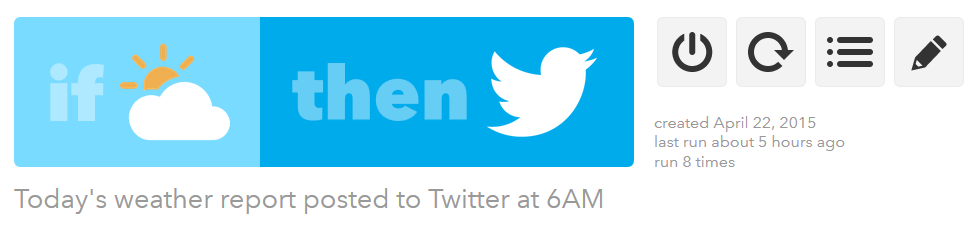
For example, this bot would tweet out the weather of a particular location on a scheduled time.
Screenshot (128)

This IFTTT recipe sends out a tweet everyday at 6 AM tells today’s weather condition at specific location.

 

Screenshot (129)

Result to Weather IFTTT recipe.

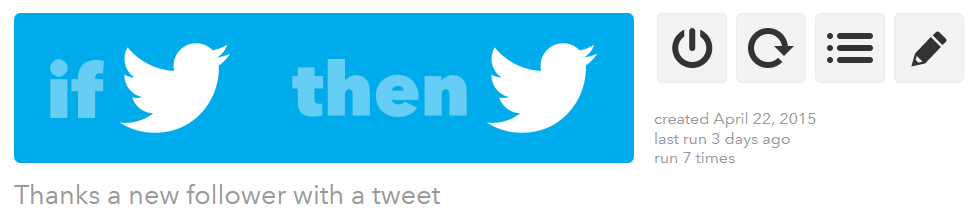
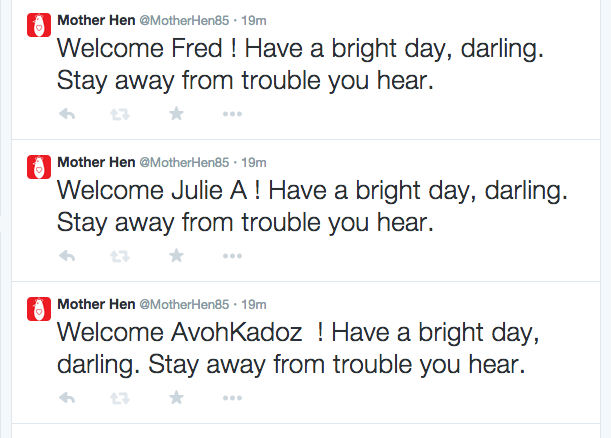
Another feature would be tweeting out customized “welcoming tweets” whenever a new follower followed the bot.
Screenshot (130)

Whenever Mother Hen gets a new follower, this IFTTT recipe sends out a tweet.
 

Screen Shot 2015-04-22 at 11.31.59 AM

Results to “Welcome” IFTTT recipe.

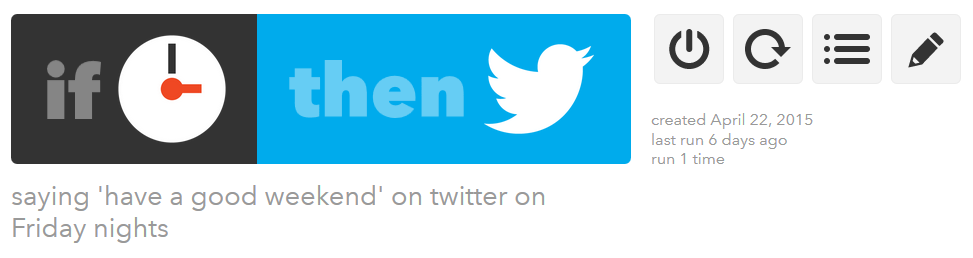
In addition to tweeting out messages that are set on a timer or schedule according to the developer.

Weekend Reminder:
Screenshot (130) - Copy

Screenshot (132)

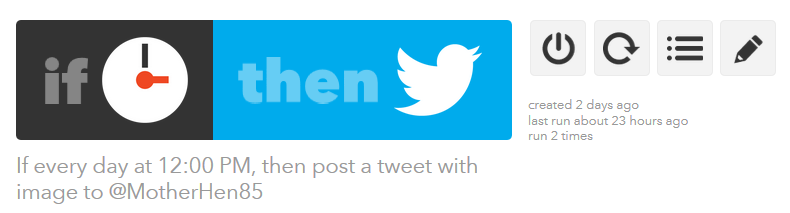
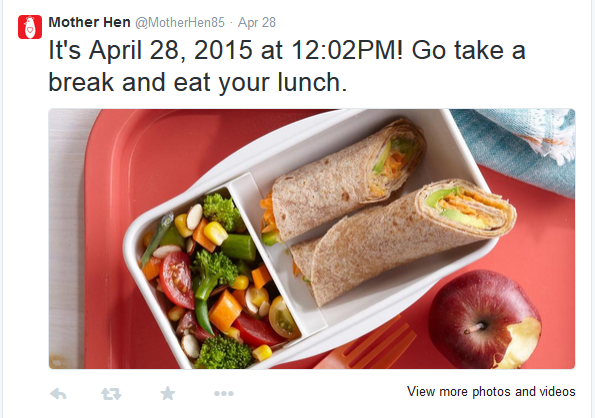
Go Eat Reminder:

breakfast_ifttt

Breakfast Tweet Reminder as an IFTTT recipe.

*Breakfast Tweet was overwritten by another recipe. But currently is working.
lunch_ifttt

Lunch Tweet Reminder as an IFTTT recipe.
Screenshot (133)

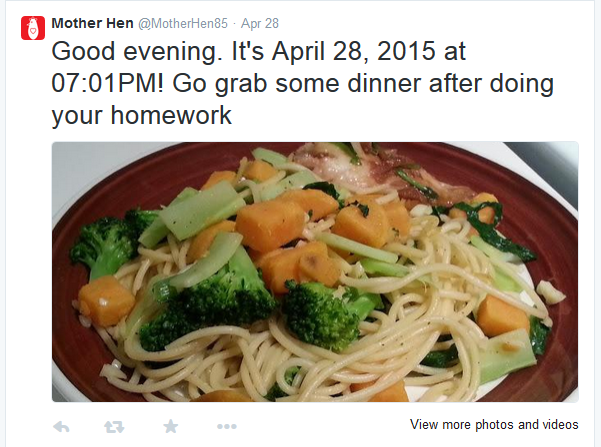
dinner_ifttt

Dinner Tweet Reminder as an IFTTT recipe.
Screenshot (134)

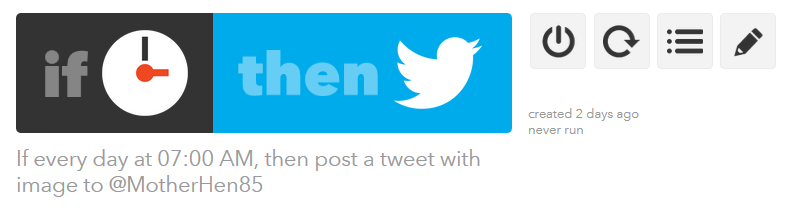
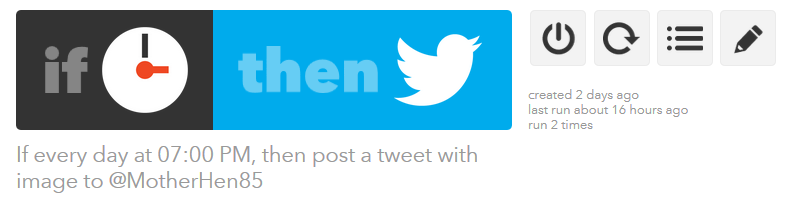
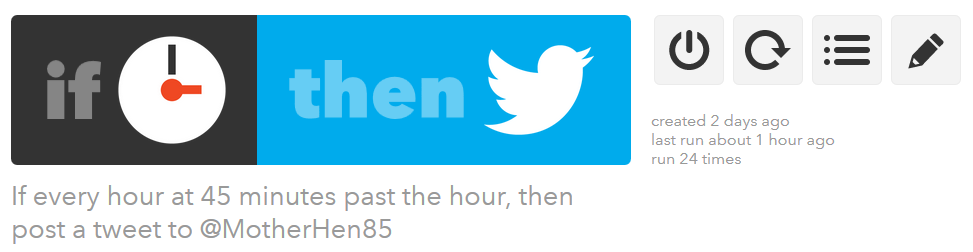
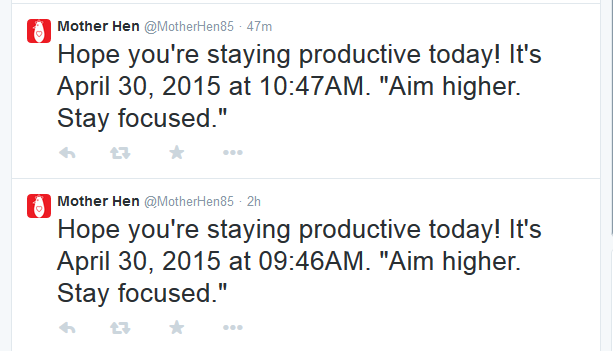
Stay Productive Reminder:

Screenshot (136)Screenshot (138)

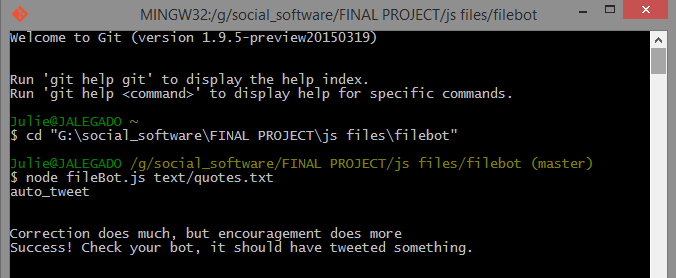
Even though these features were created as recipes from IFTTT, there was the usage of basic JavaScript programs that were controlled through a command line. For instance, fileBot.js was used to send out a text file that contained encouraging, empowering, or “good day,” quotes. Eventually, these tweets are posts manually through a command line or through a remote server following a scheduled time.
Screenshot (139)

Manually commanding fileBot.js through Git Bash.
 

Screenshot (140)

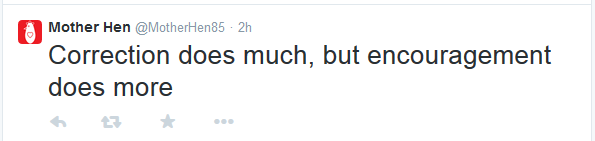
Result to JavaScript file from Git Bash.

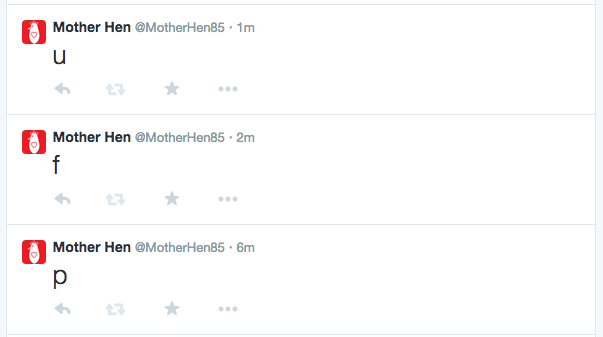
Since uploading fileBot.js to Heroku is the text file no longer needed to be manually activate through a command line in order for the JavaScript to work. While using, Heroku, fileBot.js would continue uploading quotes from my text file at a particular schedule in which was coded into the JavaScript.
Screen Shot 2015-04-30 at 4.40.15 PM

Testing out with Heroku server.


Screen Shot 2015-04-30 at 4.54.45 PM

Final results of fileBot.js working through Heroku.
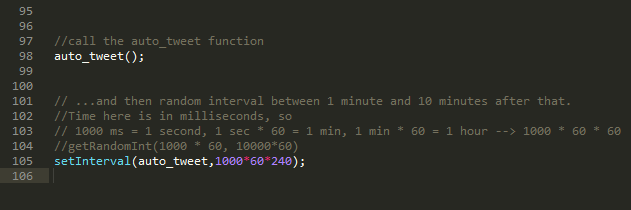
Screenshot (142)

Updating setInterval from fileBot.js for Mother Hen to tweet out quotes every 3 hours per day.

Furthermore, from what I’ve learned about Twitter bots and Twitter, this particular project is very opened and popular through the programming and developing community. Twitter does offer a lot of freedom to its followers and developers when creating artistic and interactive content on their site’s server. From Dubbin statement, eventually, these bots are just another remembrance on how they’re a great for wasting time and “omnipresent surveillance.”
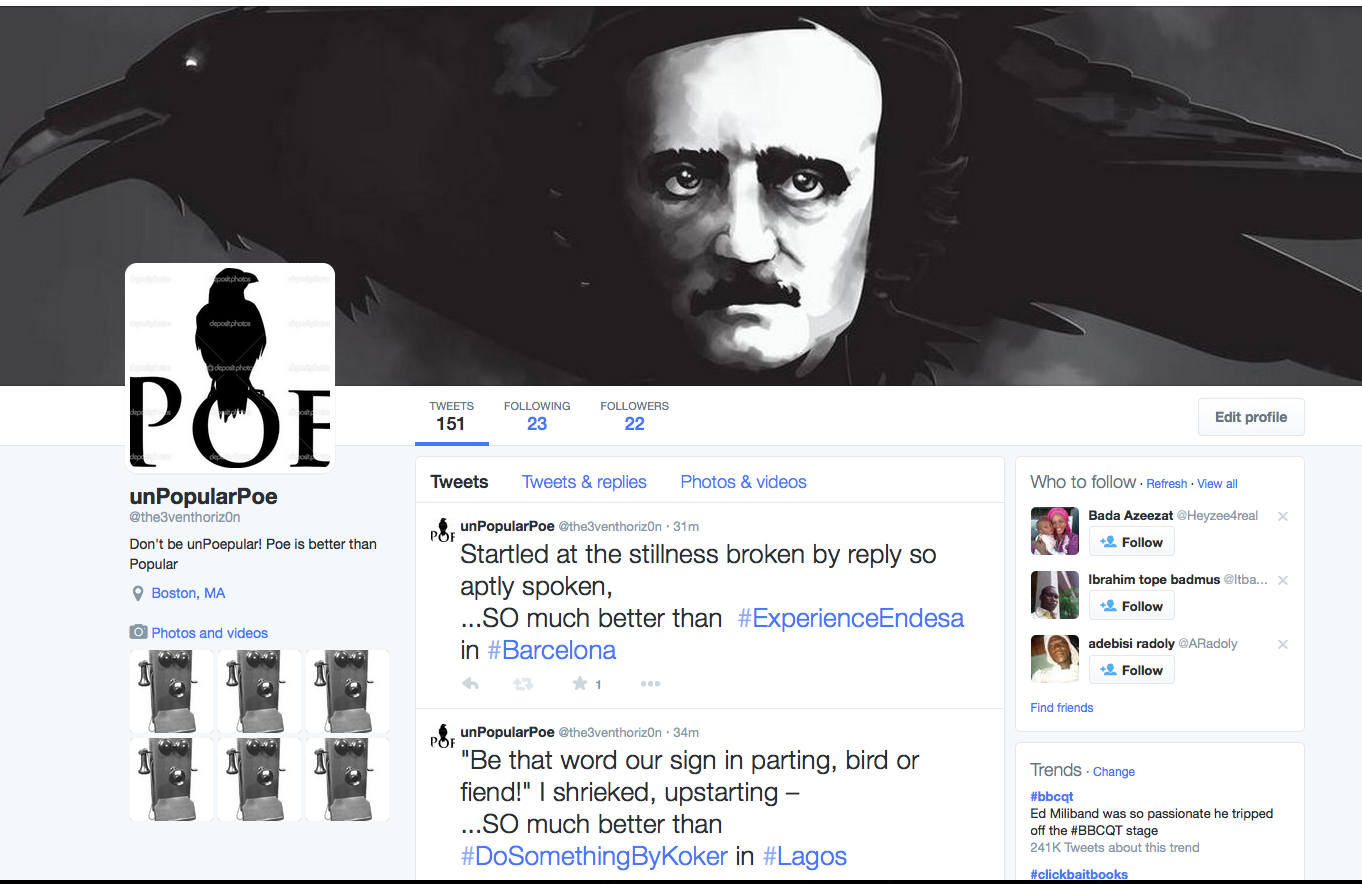


unPopularPoe – Twitter Bot

https://twitter.com/the3venthoriz0n

gitHub code is HERE

Basic Design:

Although unPopularPoe falls short compared to Rob Ellis’ chat bot in “Creating at Chat Bot”, Poe has is own little quirks. Poe is a lonely bot, who would rather read his own poems than get involved with popular topics. As you can see by Poe’s twitter posts, he finds topics that are trending and compares them to his wonderful poetry. Remember…don’t be unPoepular!

unPopularPoe is implemented in Python, running off of a Heroku Server. This project ended up being more challenging than I expected, with most of my toils coming from the disconnect between the Tweepy program and Twitter API. Tweepy has yet to update some of their documentation, while the Twitter API is being constantly updated, causing frustrating inconsistencies with syntax. Another issue I ran into was properly traversing through lists where every element was a dictionary or hashmap. unPopularPoe retrieves all of the locations where there is trending information(as a json object) then selects one of those at random; It then retrieves the top ten trends from that random location, and selects a random trend from that list. Then it reads lines from an external file(the raven by Edgar Allan Poe) and states that the poem is so much better than the trending information from the selected location. As a cry for friendship, unPopularPoe follows all of its followers back. As it turns out, there was nothing in the twitter API to select hashtags that were specifically NOT trending, so I had to change my original approach.

Screen Shot 2015-04-30 at 4.54.53 PM

The Code Explained:

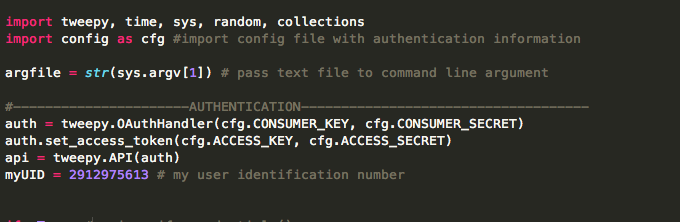
Screen Shot 2015-04-29 at 10.49.27 PM

Above we import all of our modules, and authorize sign in to twitter. A config file is imported with this information.Screen Shot 2015-04-29 at 10.49.36 PM

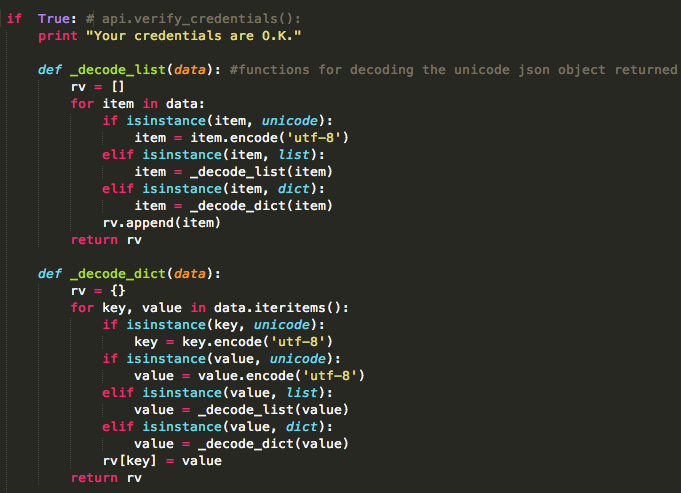
Then we check the credentials and upon passing we see two functions used to convert the unicode json objects to a slightly more readable format.

Screen Shot 2015-04-29 at 10.49.48 PM

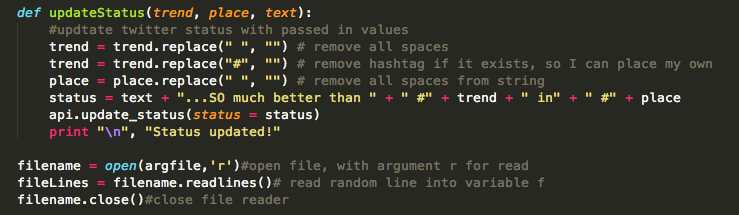
This is the update status function, where the trend, location, and text are all passed in as parameters. It takes the input, and formats the text to remove spaces and hashtags so they can be inserted in proper locations. The bottom bit is how the file is read in.Screen Shot 2015-04-29 at 10.49.57 PM

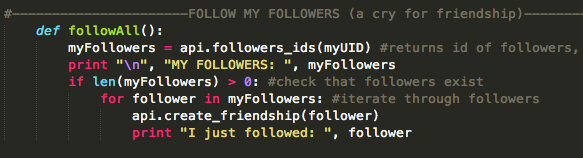
Here is the followAll function, which checks that followers exist then follows all of the followers. This code runs on a random interval between 30 and 45 minutes. unPopularPoe gained 20 followers over night. Who in their right minds would follow this bot?

Screen Shot 2015-04-29 at 10.50.05 PM

This massive chunk is where most of the difficult stuff happens. Here the locations and trends are received, selected, formatted, and put in hashmaps and/or lists.The functions are called at the end, and there is a time.sleep() method which lets the code run on a random interval between 30 and 45 minutes.

That is a basic overview of how the code works, it’s all viewable in a gitHub repository link at the beginning of this post. In addition to this code, the bot is running on a Heroku server, which we saw in class.

I learned quite a lot from this experience and I certainly plan on making more twitter bots in the future. It should be much easier with the knowledge I have gained from this assignment.


The Tale of the Successful Week Without Google

Yes, I made it a week without Google and it really wasn’t hard at all.  Here was how I did it so I made no mistakes:

Youtube – Didn’t partake in short funny videos, just stuck to Netflix that week. Whatever, still wasn’t bored.

Chrome – On a regular basis I use both Safari and Chrome interchangeably, so for a week I just used Safari, and for weeks after I kept just using Safari.  I feel there are some sites that run better on Safari and others on Chrome, so that really didn’t make too much of a difference in my life.

Search – Changed the automatic search on my computer AND phone from Google to DuckDuckGo, which I really didn’t like too much but it was only for a week.

Maps – deleted the app on my phone and when I needed to use a map I unfortunately had to use apple maps but fortunately I don’t usually have that many important places to go to seeing that I live on campus and pretty much everything I need is either here or I know how to get to them.

Docs – Just used pages for the week.  Not a big deal.

Gmail – I only really use my Purchase email account anyway on a daily basis so even though I have a personal Gmail account it didn’t really affect me in any good or bad way.

I don’t really use anything else Google owns.

When other people used Google things around me – I just looked away.  I would ask my friends to try to refrain from using it in front of me but obviously I can’t control other people, so I just would not partake in them using it.

Yes, I depend on Google for some things and I do sometimes prefer to use Google services over others, but I feel that even if Google were to totally blow up and shut down I would really still be okay.  It is convenient but definitely not necessary.

Exercise 3 – Interview with Scott Pilgrim

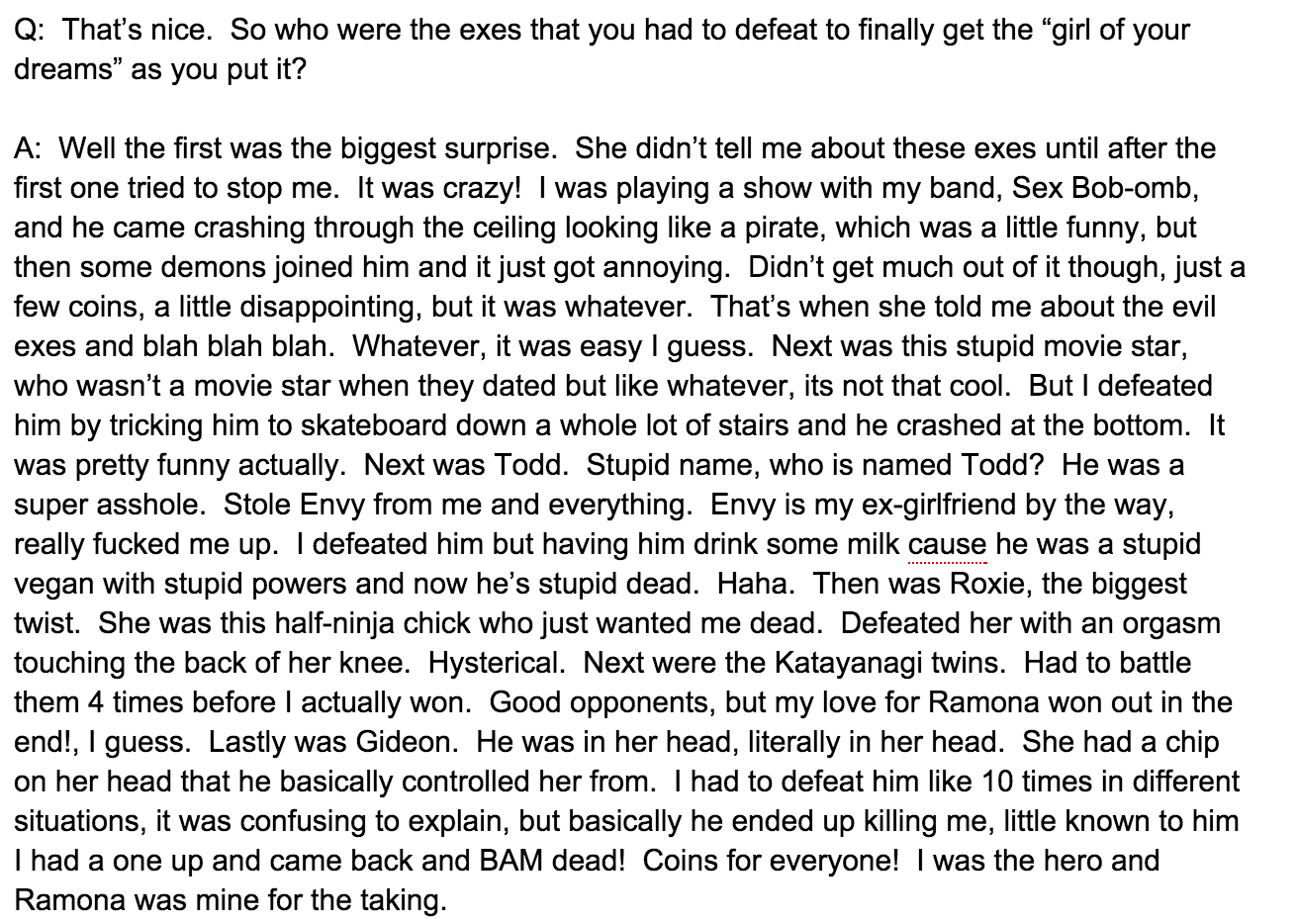
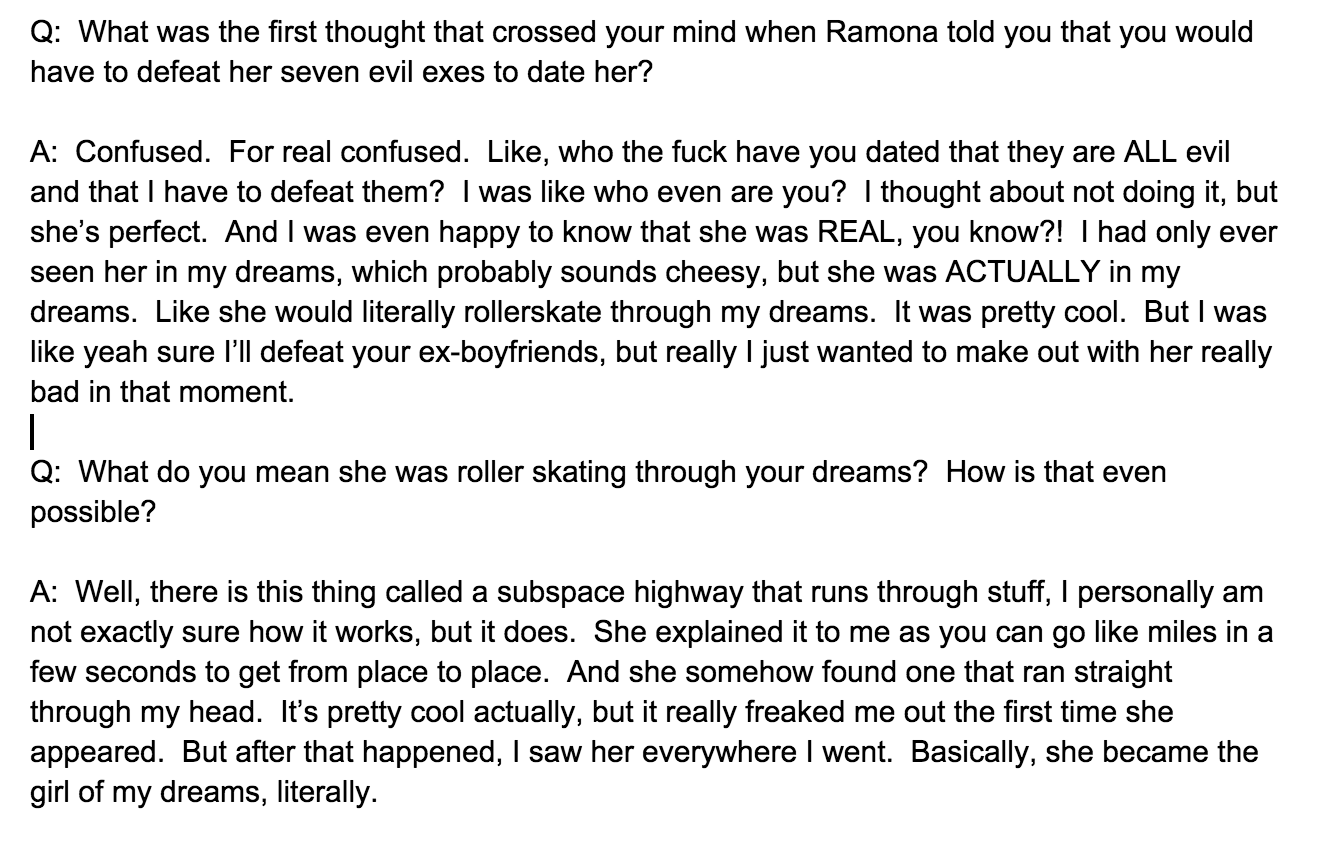
For this exercise decided to interview the fictional character Scott Pilgrim, who is the main character of a graphic novel book series written by Bryan Lee O’Malley, which from that a movie, Scott Pilgrim vs. The World, and a video game, Scott Pilgrim vs. The World: The Game, have been created since.  He is just your average slacker who falls in love with the “wrong” girl and to date her he must defeat her seven evil exes.  O’Malley created his own real time world in a video game like world.  Here are some screenshots of the interview:

Screen Shot 2015-02-12 at 5.21.32 PM Screen Shot 2015-02-12 at 5.20.57 PM

From this interview, I created some fictional circumstances to use an IFTTT recipe, but was unable to actually accomplish them.  They were as follows:

  • IF: Ramona gets a new boyfriend ~ THEN: The League gets an email.
  • IF: The League reassembles ~ THEN: The last boyfriend gets an invite to the league


Assignment 1 part 2

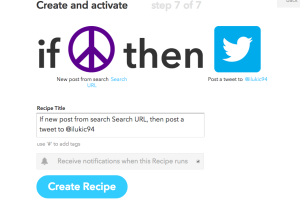
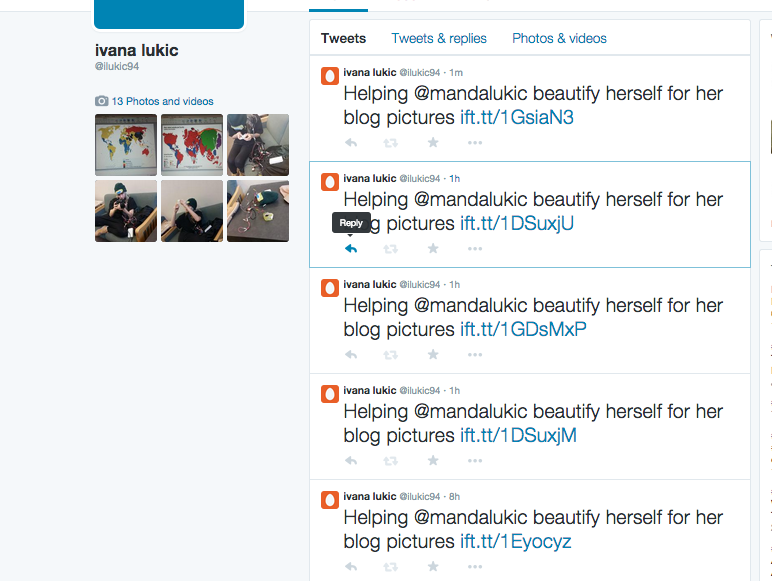
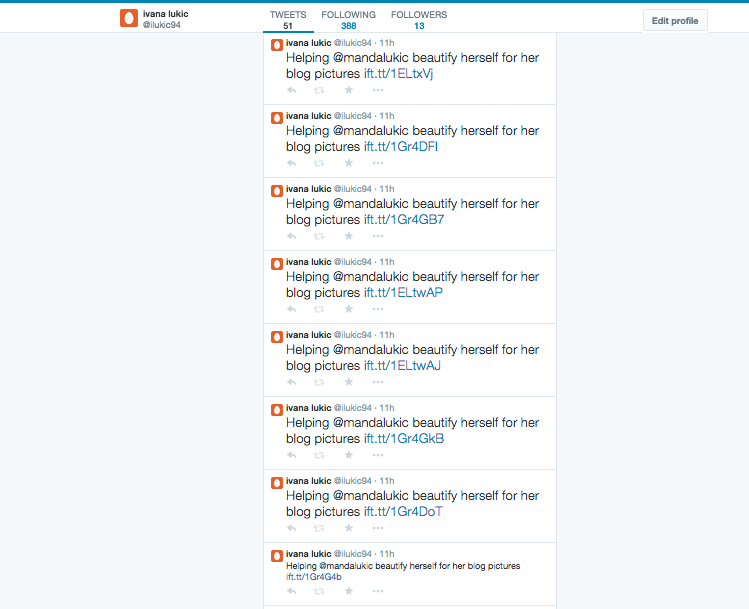
So for this experiment I interviewed my sister, Manda, on what digital communications does she use and like and she interested in creating a personal fashion blog that will hopefully one day make her money. But in order for her to have nice photos she needs to get all dolled up. She’s been saying it everyday she needs to find a good place to blow dry her hair so she can take photos for the blog. Perfect situation. So I created a IFTTT recipe for her when a new craigslist post comes out for a blow drying service around our Yonkers, NY location it will tweet “Helping @mandalukic beautify herself for her blog pictures http://ift.tt/1GracDU”  

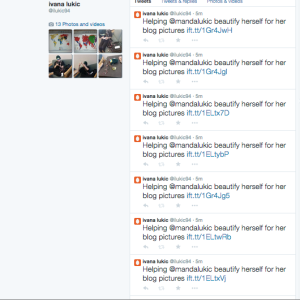
below are screenshots of the recipe and the twitter account its linked to:Screen Shot 2015-04-27 at 9.46.56 PM

Screen Shot 2015-04-27 at 10.26.55 PM

The interview went like this:

Q: What types of digital devices do you use and with do you like the most?

A: “ I use digital media all the time, everyday. Facebook, Instagram, Tumblr, Twitter, and Pinterest. My favorite is Instagram. I want my page to go viral and to be successful in affiliate marketing

Q: Which is your least favorite?

A: Um, I’m still fairly new to tumblr and twitter so I do not use those quiet as often as facebook and instagram.”

Q: You say you want to start a blog and have all accounts of yours link to the blog. Any difficulties with these digital means that allowed you to link the blog and the accounts together. What is your struggle with these forms of media.

A: Well yes I do want to create a blog but the biggest problem I am having at the moment is having no time to get ready or to take pictures of our own. Im struggling to find a place where I can blow dry my hair due to the fact that the instagram and facebook pictures, they’re linked together. The key to a successful page is looking pretty and after work I really don’t look so amazing.


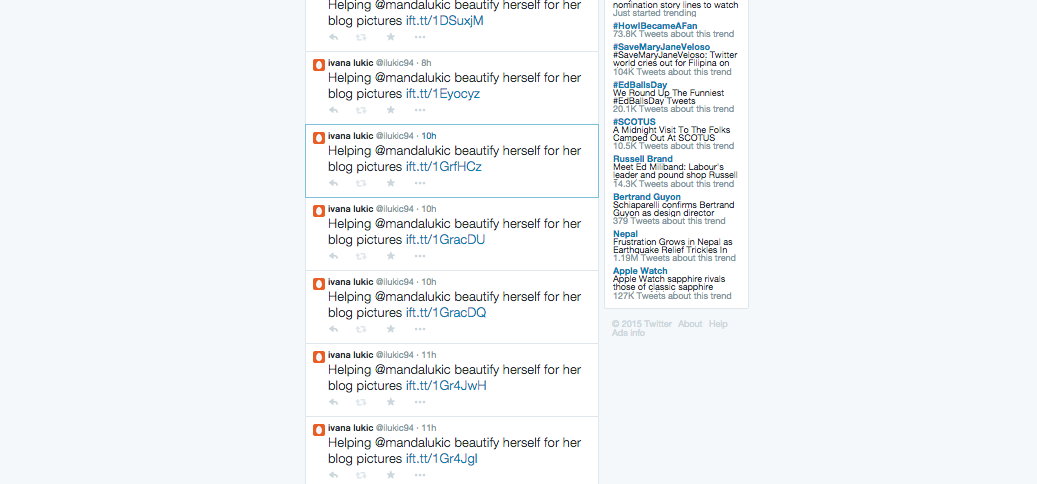
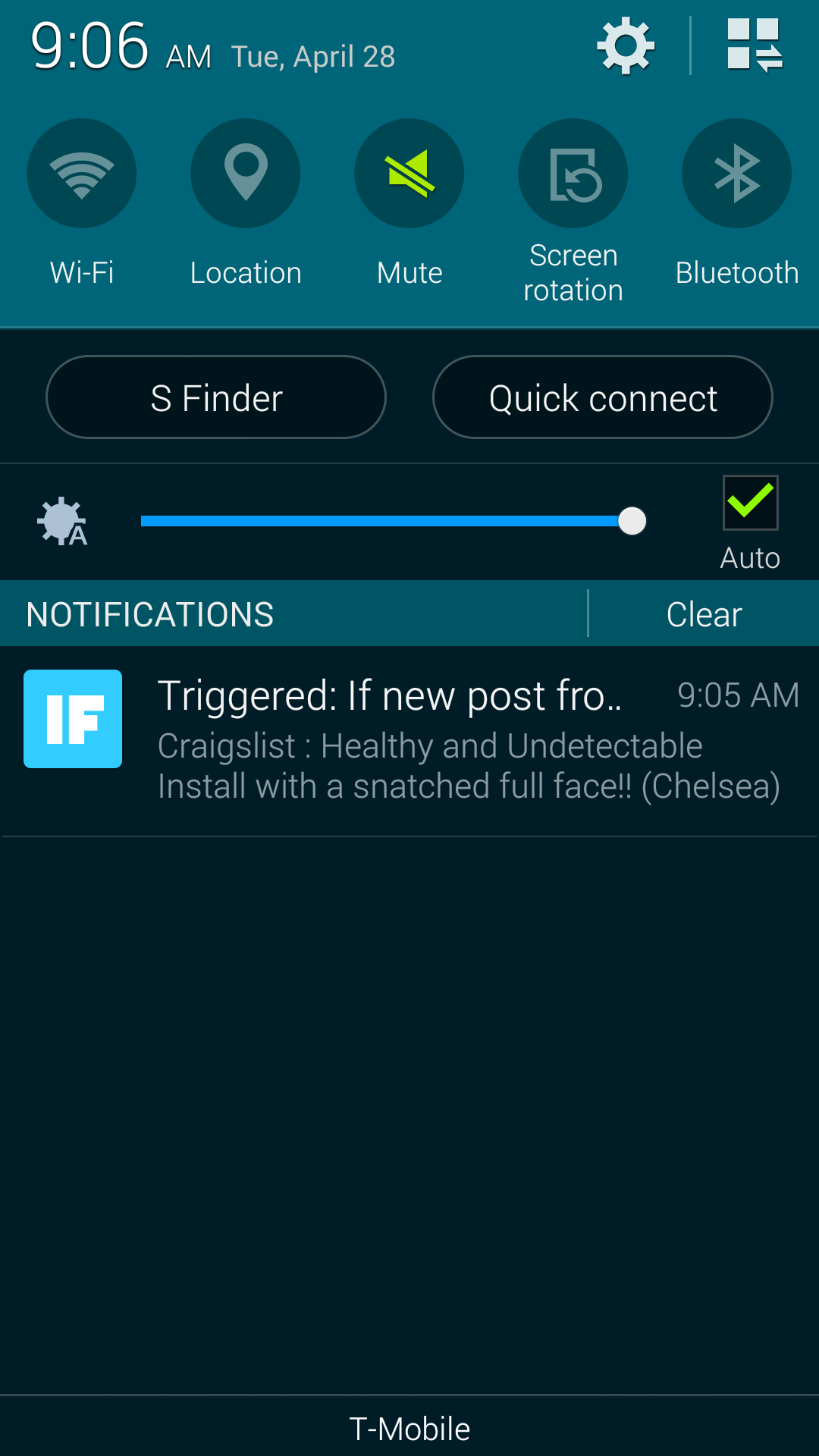
I still have the recipe running and i still get updates to my phone and notifications on my twitter account when new post is formed. here are the most recent tweets and notifications.  But it is pretty funny because all of the posts are about weaves and hair extensions for african american people  soo funny! SO it doesnt really help my sister out much but it was worth a shot. One problem i wanted when i came across this IFTTT recipe was that i wanted to connect it to living social.com or groupon but there was no channel for those sites. Which was a bummer because i could use it all the time if it was a groupon or living social in my everyday life to find things like a blow out for my hair.

Screen Shot 2015-04-28 at 9.08.33 AM Screen Shot 2015-04-28 at 9.08.53 AM Screen Shot 2015-04-28 at 9.09.02 AM Screenshot_2015-04-28-09-06-31


Assignment #1 part 1

Social Breach: for my breach I chose to do two things. One was to invade personal space by stepping closer to the person i was talking to and the other was staring at them in the eyes will having a conversation while keeping a straight face. Keep the straight face was the hardest thing to do. So i went up to different family members and did it. my family all get frustrated very easily. So it was evemn funnier. So i would start the conversation asking how they were and they day was. First i kept a good distance then i moved clsoer and closer until i made them step back or have them say something like what are you doing back off. Each and every one of them had the same reaction. thye all were so confused and took a step back to get that personal space back. I got a lot of what the **** is wrong with you. can you stop. BACK OFF.  they got so angry it was great as i expected for them to do. You could tell that they were uncomfortable because their facial expressions and how their body reacted to the experiment. I even got a few shoves. HOW RUDE.


Terms and conditions-Group 2 Zach, Erika, Dani & Ivana

Terms and conditions

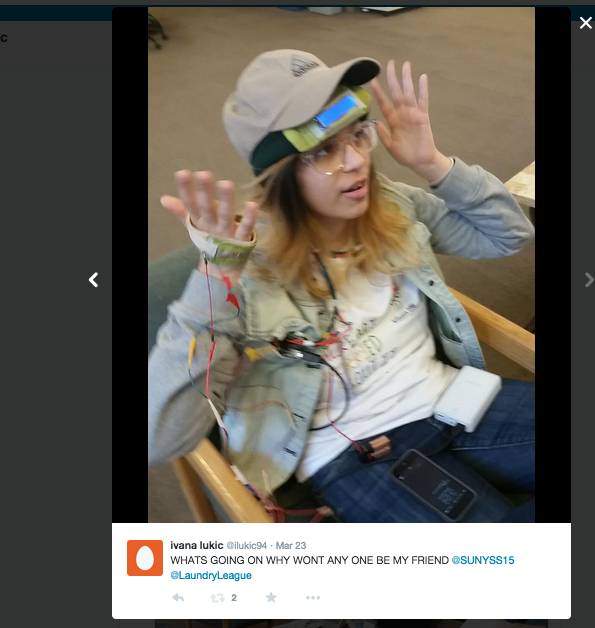
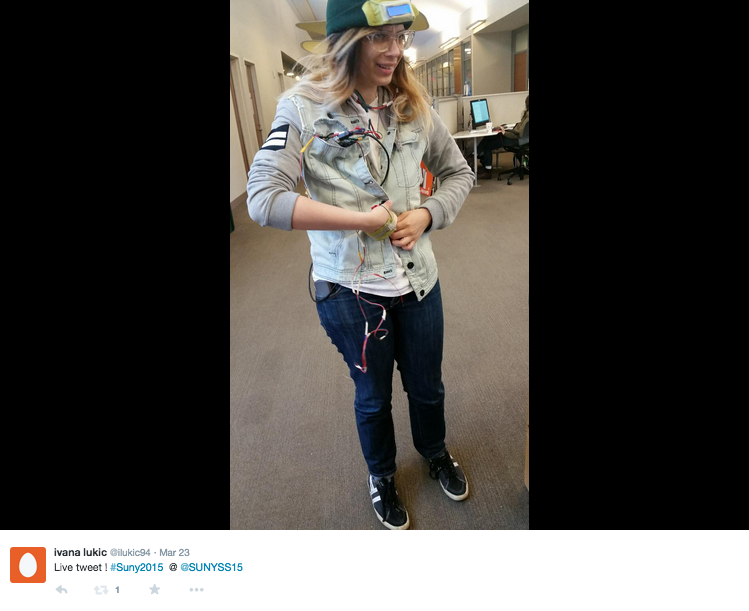
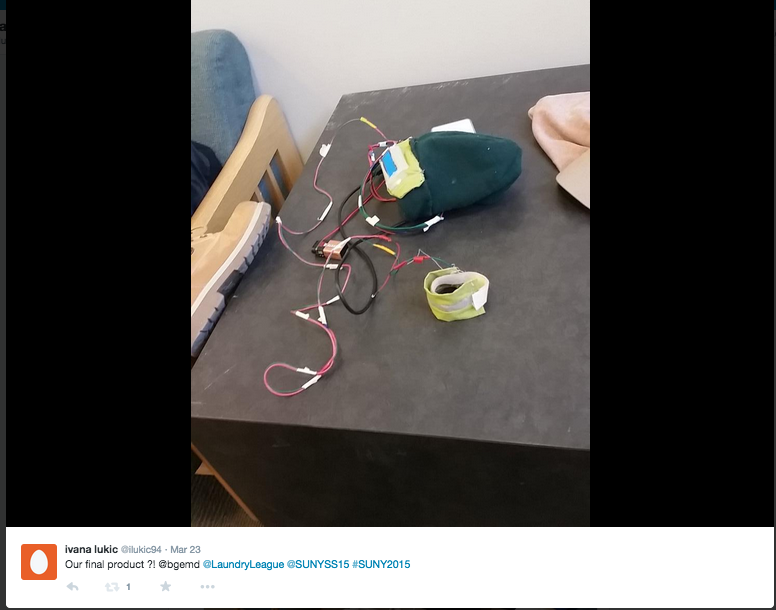
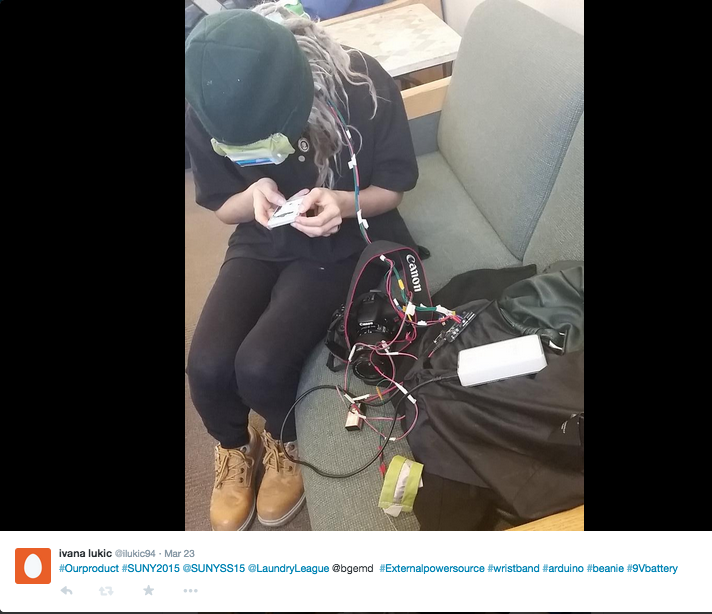
In our group we created a wearable beanie prosthetic that allowed for people who interact with you to have your terms and conditions in your face as well as to make sure they read them. ON our prosthetic we created a beanie using a LCD screen and Arduino kit to scroll out terms on our forehead. Terms and Conditions in our world today just get pushed aside and not taken seriously. Everyone, including myself, just clicks accept and goes onto their merry way. We wanted to take our project to be a little weird and creepy. We struggled in the decision-making when we first started we had many ideas. We decided to create our own terms and conditions instead of using the boring Facebook or any other pages terms. We actually thought about combining all of the terms and conditions from a few different websites and then planned on scrolling it across all jumbled up but we though it would be better to have the person interacting with you accept to your own personal terms and conditions to be your friend. We created the beanie with a conductive piece of wearable fabric so when hands are shaken then it accepts the terms and conditions of that specific person. We thought that having the terms on your head would allow the people interacting with you to understand and know beforehand of what becoming friends with you is going to be like and what you expect. We created a hackpad page of the terms and conditions we wanted to use. But unfortunately we could only get the first few bullets to scroll on the LCS screen. Then it would glitch and become webbing characters. At that point we had to reset the arduino and start all over again from the beginning. We tested out our project in the Purchase library and went up to a few people and asked them if they could participate in our assignment. So filmed them shaking hands and their interaction. At first very awkward, social breach at its finest. The link to the video is here: https://www.youtube.com/watch?v=8mzDG_ORAUw

During the shooting while Dani wore the hat and went up to people in the library and while Erika filmed it I was the live tweeter, blowing up our classes feed. It was actually the first time tweeting. Zach was the programmer and the prosthetic model maker.

Pictures from the live tweets are below:Screen Shot 2015-04-28 at 8.51.45 AM Screen Shot 2015-04-28 at 8.51.58 AM Screen Shot 2015-04-28 at 8.52.14 AM Screen Shot 2015-04-28 at 8.52.24 AM

Exercise #2

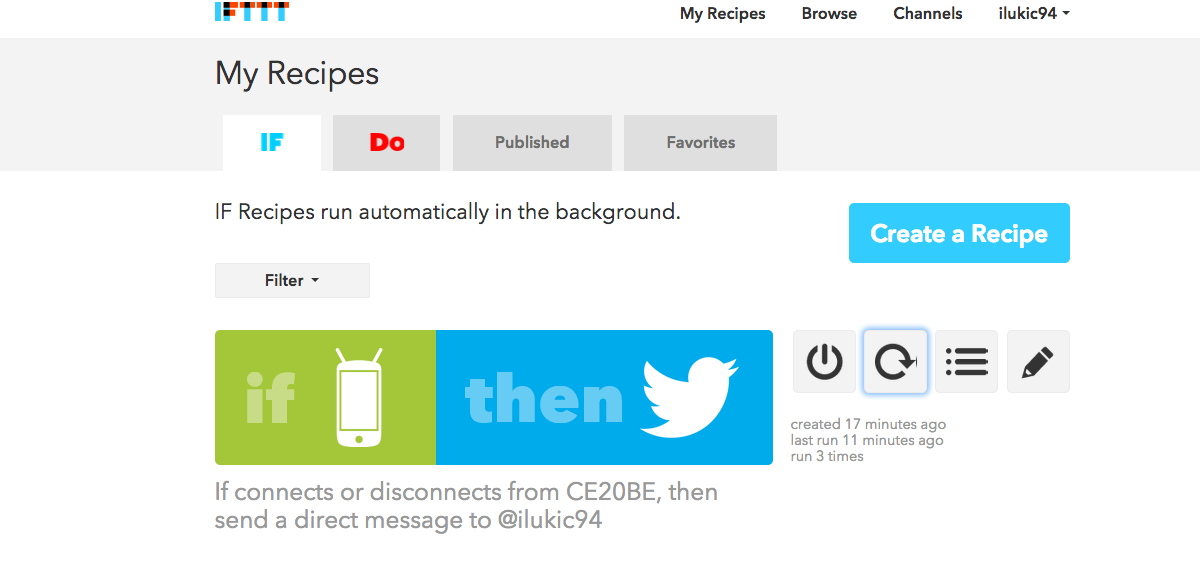
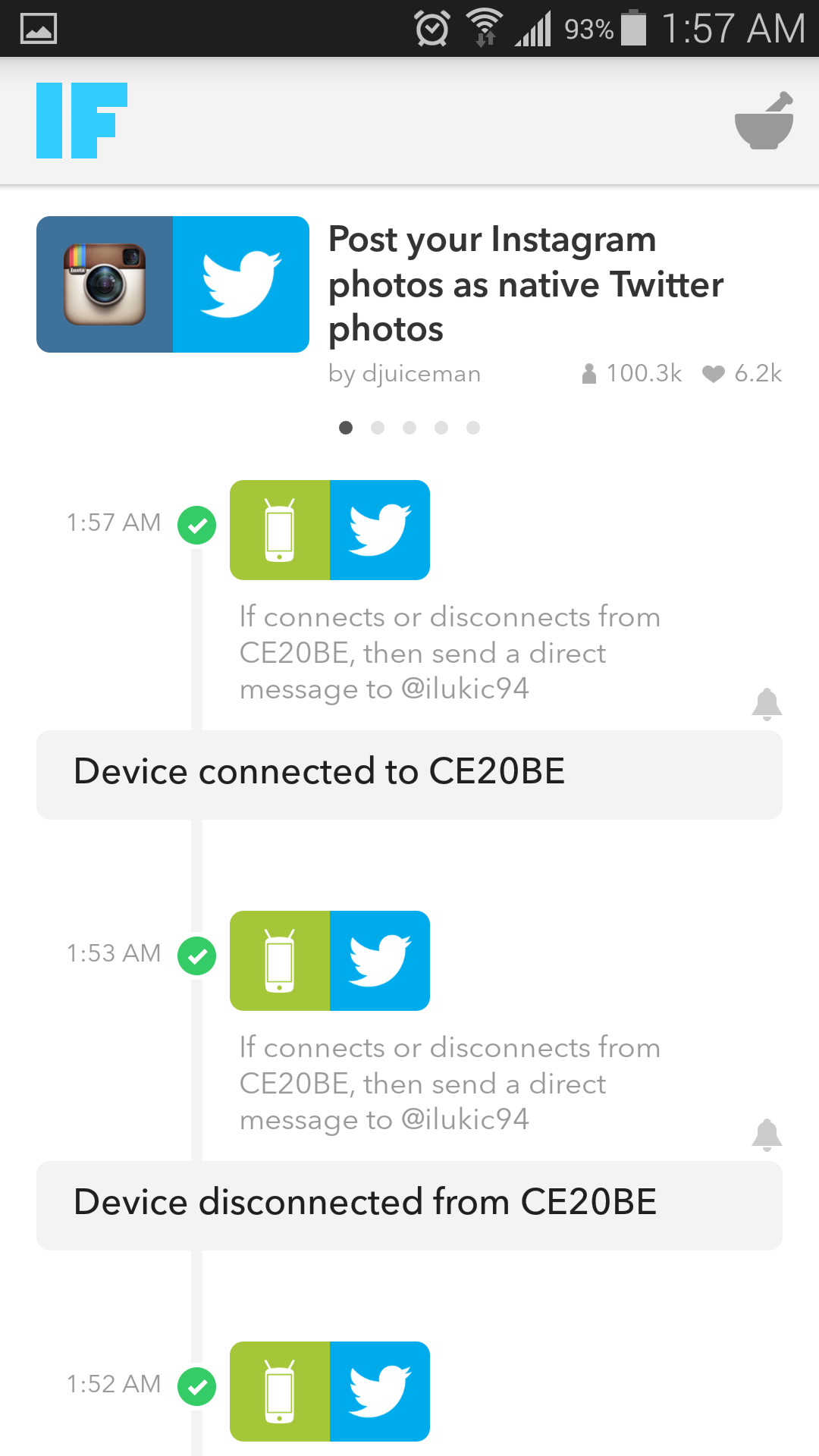
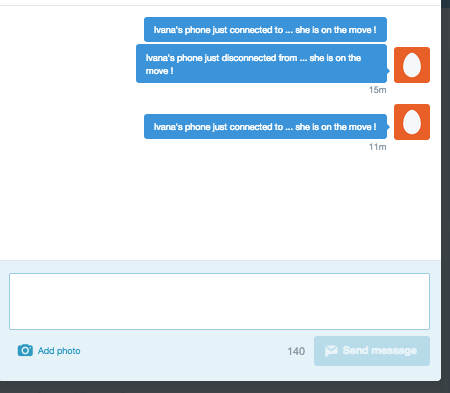
For this social breach we had to take a social media and misuse it. So I come from a strict Albanian household. My parents never changed all my life always wanting to know where I am when im coming home. They would always worry when or if I left the house … I never did anyways… but now they can be sure of when I leave home and when I am home. Home is where the Wifi automatically connects. SO I set up a IFTTT recipe to create a message on my mothers phone when I connect to the CE20BE wifi connection.. or otherwise HOME. So every time I connect a notification which says, device has connected to CE20BE. Or the opposite device is disconnected from CE20BE. As well as a direct message to twitter that says Ivana has connected to Home -.. Ivana has disconnected to Home.

Screenshot_2015-04-28-01-57-50

Screen Shot 2015-04-28 at 2.09.06 AMScreenshot_2015-04-28-01-57-41

Exercise 3: IFTT Recipe:

So for this experiment I interviewed my sister, Manda, on what digital communications does she use and like and she interested in creating a personal fashion blog that will hopefully one day make her money. But in order for her to have nice photos she needs to get all dolled up. She’s been saying it everyday she needs to find a good place to blow dry her hair so she can take photos for the blog. Perfect situation. So I created a IFTTT recipe for her when a new craigslist post comes out for a blow drying service around our Yonkers, NY location it will tweet “Helping @mandalukic beautify herself for her blog pictures http://ift.tt/1GracDU”  

below are screenshots of the recipe and the twitter account its linked to:Screen Shot 2015-04-27 at 9.46.56 PM

Screen Shot 2015-04-27 at 10.26.55 PM

The interview went like this:

Q: What types of digital devices do you use and with do you like the most?

A: “ I use digital media all the time, everyday. Facebook, Instagram, Tumblr, Twitter, and Pinterest. My favorite is Instagram. I want my page to go viral and to be successful in affiliate marketing

Q: Which is your least favorite?

A: Um, I’m still fairly new to tumblr and twitter so I do not use those quiet as often as facebook and instagram.”

Q: You say you want to start a blog and have all accoutns of yours link to the blog. Any difficulties with these digital means that allowed you to link the blog and the accounts together. What is your struggle with these forms of media.

A: Well yes I do want to create a blog but the biggest problem I am having at the moment is having no time to get ready or to take pictures of our own. Im struggling to find a place where I can blow dry my hair due to the fact that the instagram and facebook pictures, they’re linked together. The key to a successful page is looking pretty and after work I really don’t look so amazing.

Assignment Three Proposal- Processing Bot

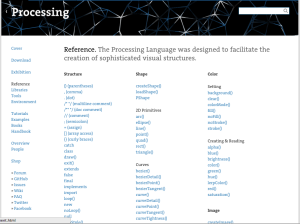
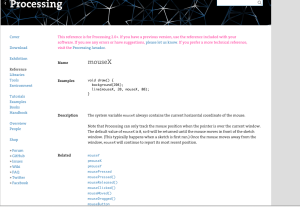
Ever since I entered this college three years ago, I have always been a mathematics and computer science major. In this major we started our learning code with Processing 2. Processing 2 is an open sourced language, which is based on top of Java. Throughout the years we ran through and explored many languages including Python, Java, HTML, CSS, JavaScript and JQuery. For this assignment I would like to go back to my language that I enjoyed the most which was Processing 2. In Computer Science 1 in my freshman year much of my learning process was using the processing 2 references on www.processing.org/reference/. I would like to create a twitter bot taking a word from the reference on processing’s website every few hours and tweeting it on my page along with a link to that word and definition. below are screen shots of the processing page These are the words that will randomly be picked and posted to my account a long with a link to their definitions and examples, the reference page.

screenshot processin web

example the twitter bot will tweet:

mouseX

www.processing.org/reference/mouseX.html

this is the reference the link sends you.

mouseX